
Creating Databases, Tables, etc
Creating a Schema Object #
To create a schema, table, view, function, procedure, event, or trigger:
-
Click the Add button in the bottom left corner of the window (in the Content or Structure view), the menu in the menu bar, or right-click on the primary sidebar, and choose the type of object from the menu items.
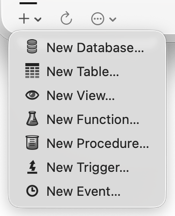
-
Enter a name in the sheet and click OK.
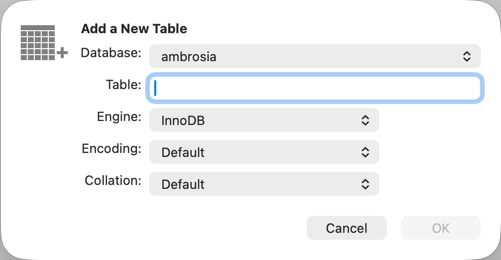
-
With the Structure view selected and the new object selected in the sidebar, define its columns and indexes, its SELECT statement, or its SQL and other properties.

