
Duplicate
Duplicate a table, with its data, or an entire database. The copy can go to the same database, a different database, or a different server. It's a big time saver for making test copies.
Duplicating a Database or Table #
-
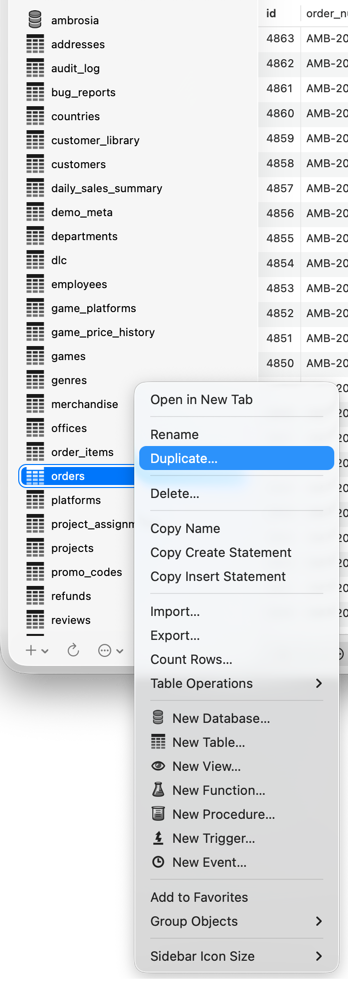
With the Content or Structure view showing, right-click the database or table in the primary sidebar and choose Duplicate….
-
To copy to another server, choose it in the To Server popup. Current Server puts the copy next to the original.
-
For a table, enter the destination database and the new table's name. For a database, enter the new database's name.
-
Click Duplicate….
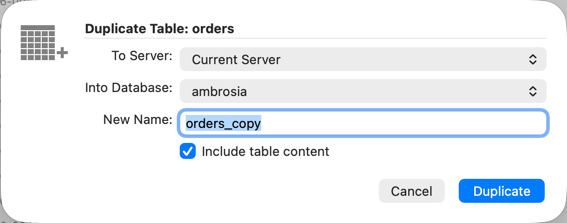


Check Include table content to copy the data too (for every table, when duplicating a database). Duplicating a database also creates its views, triggers, functions, procedures, and events.