
Still have a question? Ask us.
The older way to record system audio, still supported when Screenflick Loopback isn't installed.
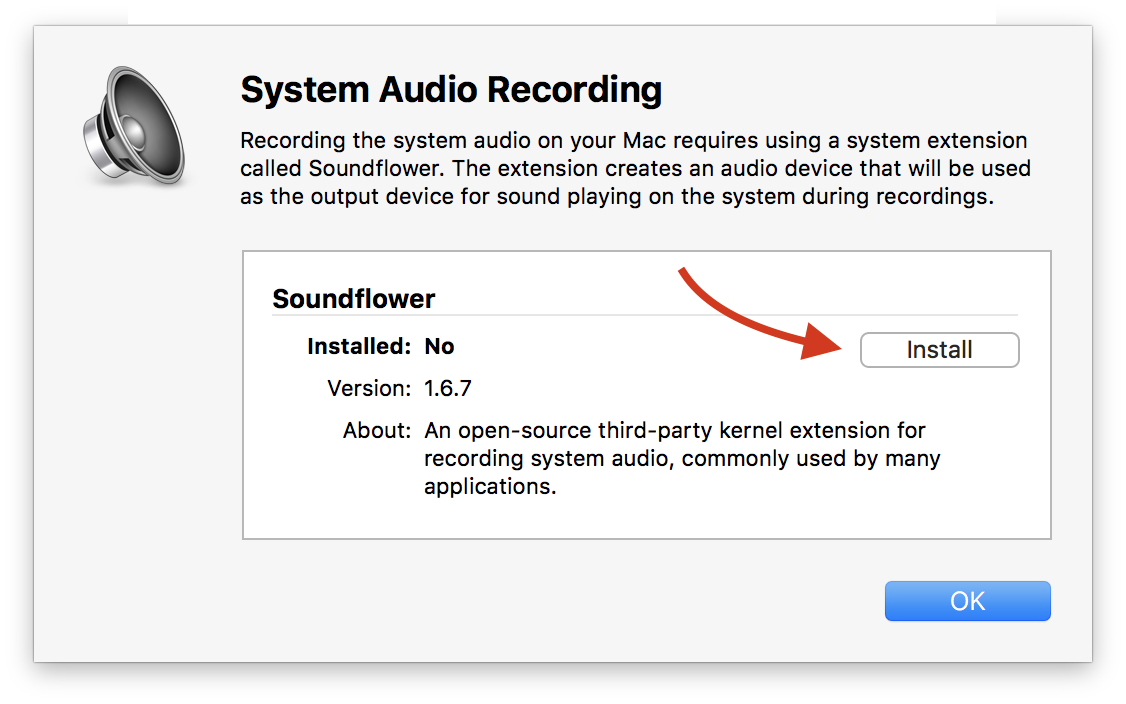
The Soundflower extension for macOS must be installed to record the "system audio" playing on your Mac, if you aren't using Screenflick Loopback.
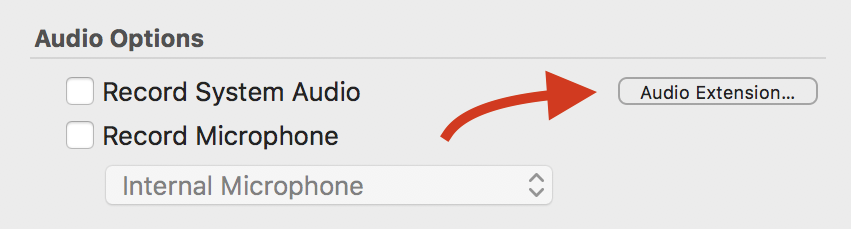
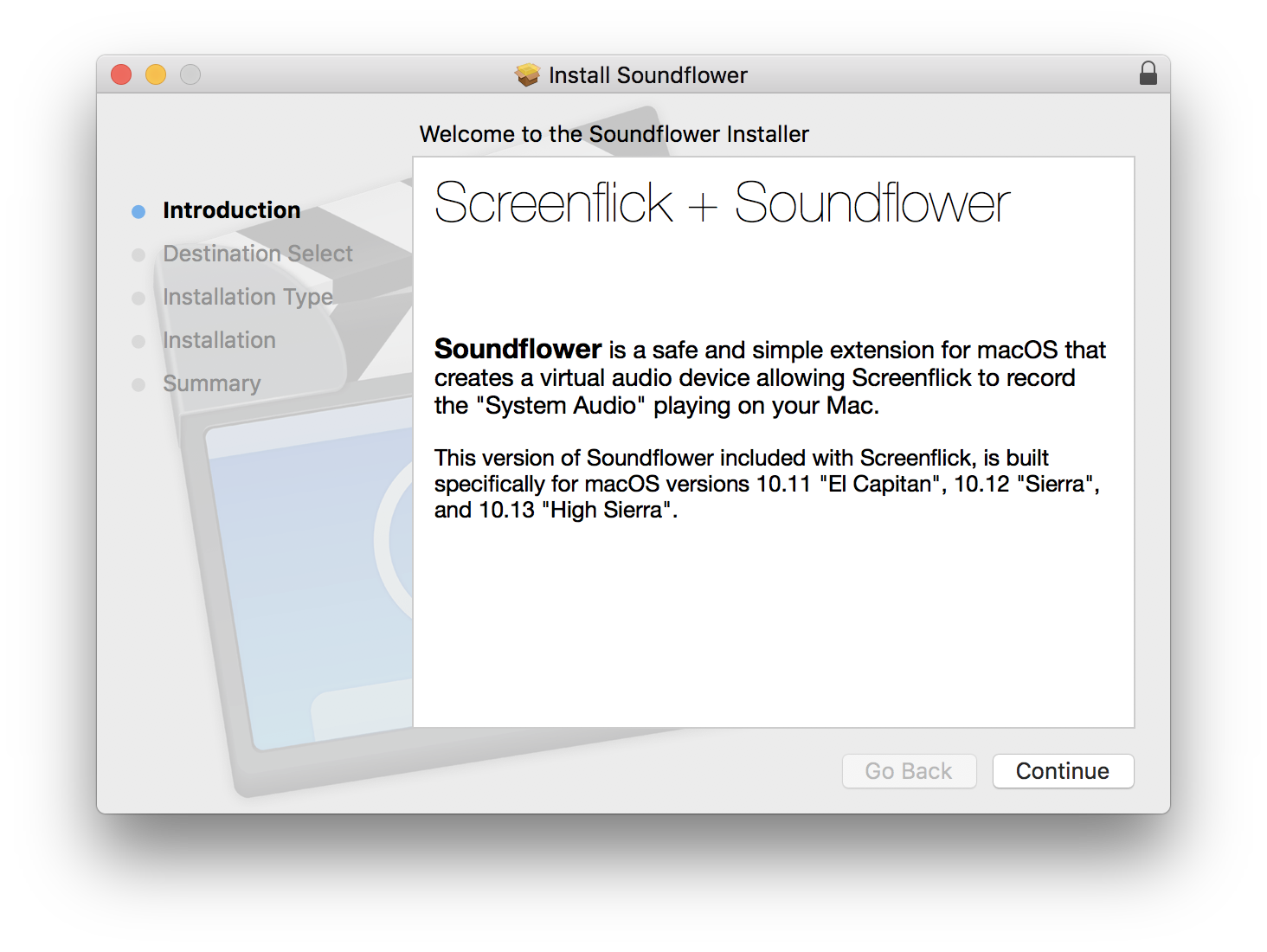
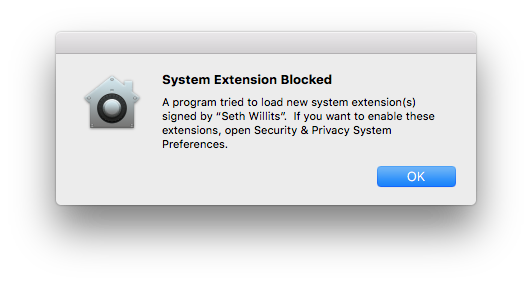
Click the "Audio Extension…" button next to "Record System Audio" in Screenflick, click "Install" next to Soundflower, and follow the installer. On macOS High Sierra you also need to allow it in System Preferences. Keep reading.
The extension is code signed by Seth Willits, the developer behind Screenflick. Keep reading.
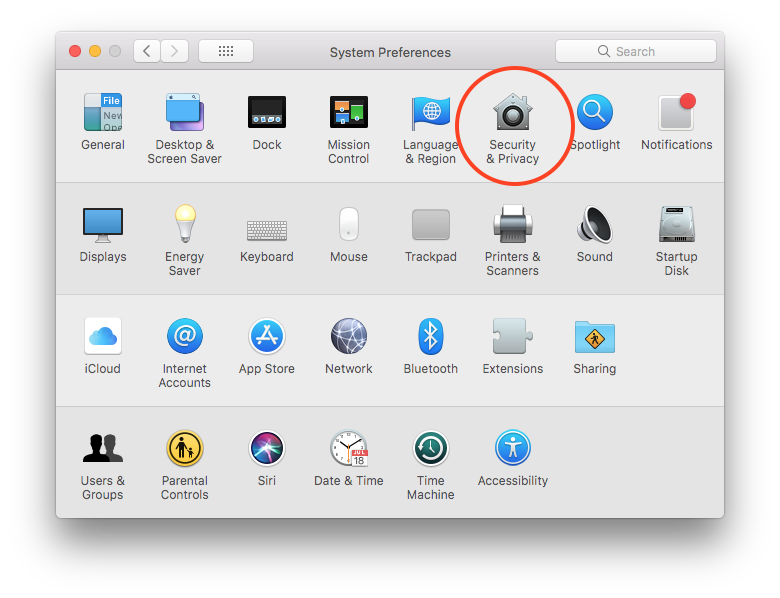
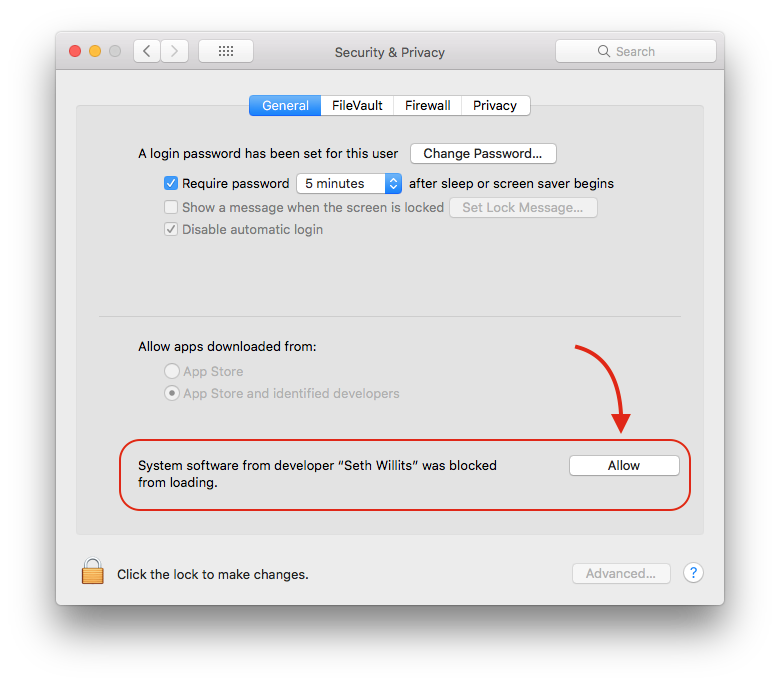
Once the extension is allowed, you can use Screenflick to record your system audio.
The Soundflower extension is code signed for security by Seth Willits, the developer behind Screenflick, which is why that name is shown. If you email Araelium's support address, you're talking to Seth directly. His name is shown rather than "Araelium Group" because of how Apple's Developer ID system works. It's the same reason many individual developer names appear in the App Store instead of company names.

