Querious is the rich, fully native, hand-crafted database client the Mac deserves, and version 5 brings deep PostgreSQL support to the app MySQL users already love. Browse, query, design, monitor, import, export, and let the new Query Assistant write the SQL for you.
Free trial. Requires macOS 13.2 or later.
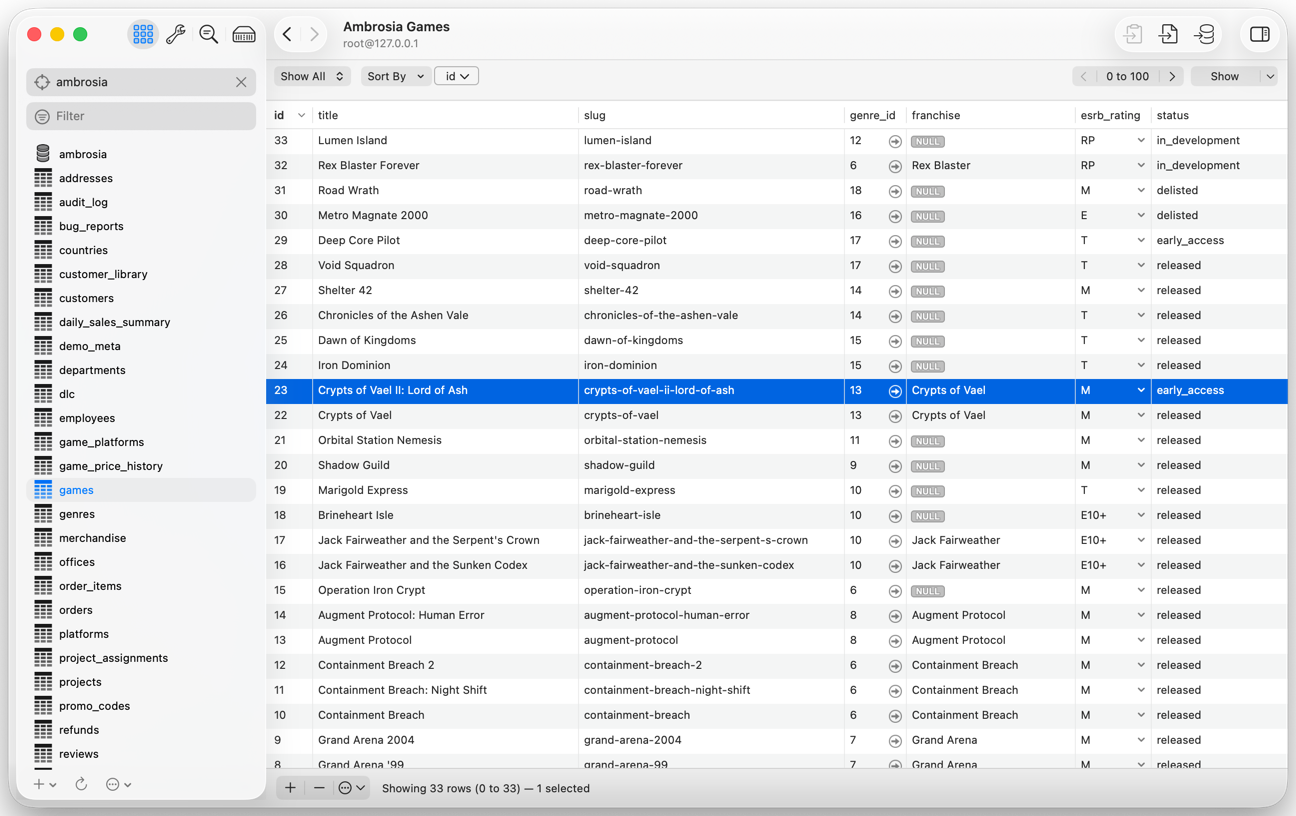
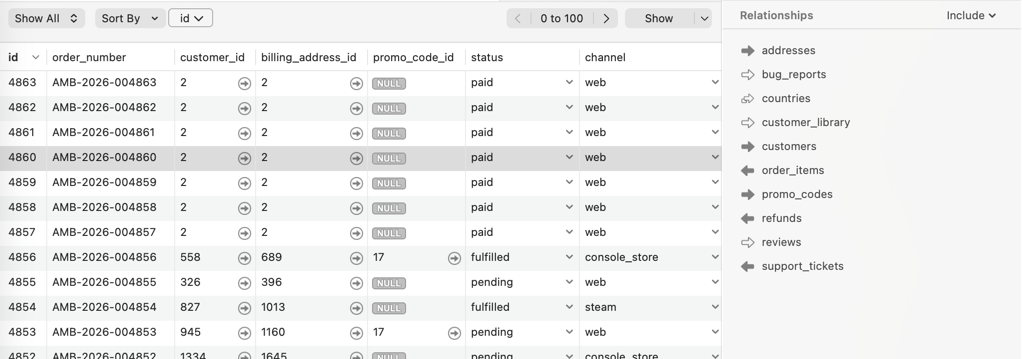
Browse and edit your data. Filter, sort, edit in place, and jump along foreign keys. It works the same way on PostgreSQL and MySQL.
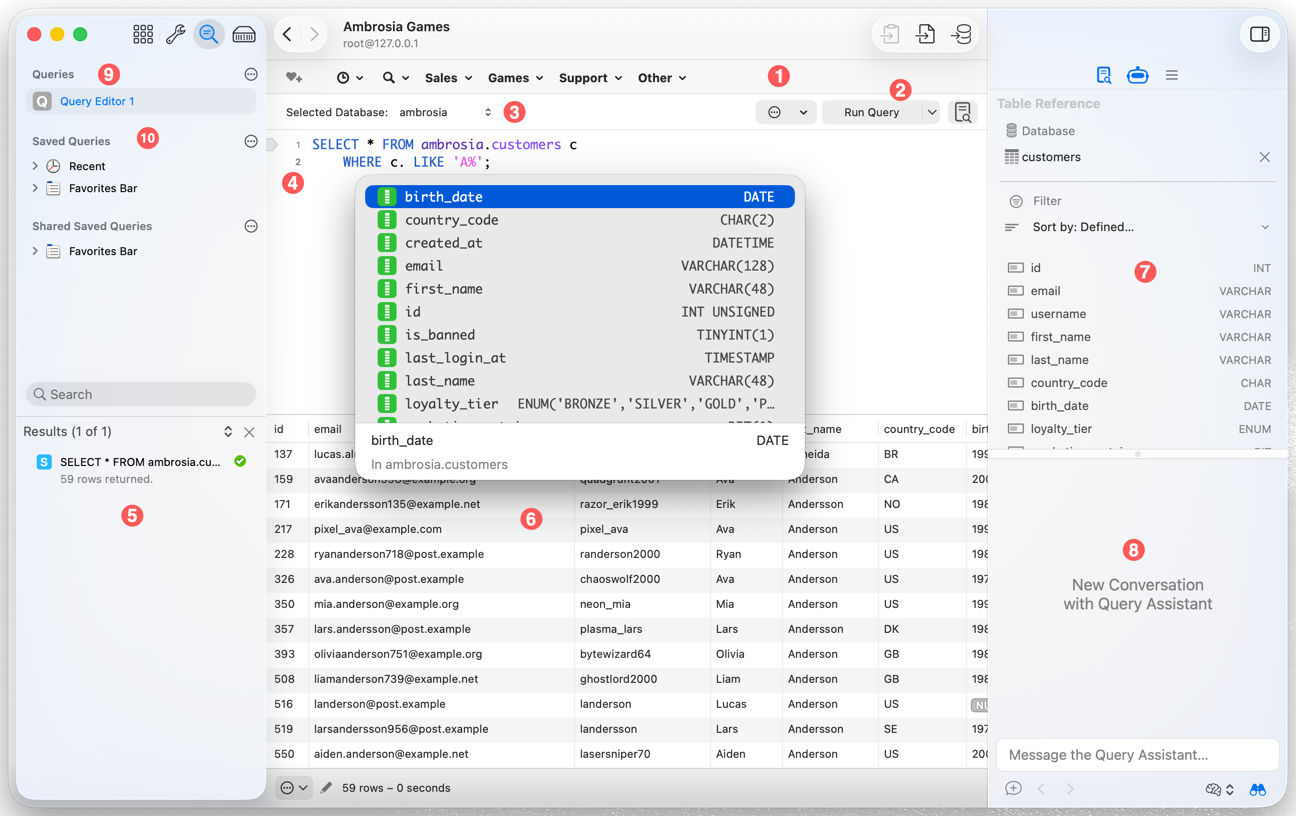
Write and run queries. Context-aware autocomplete, saved queries, multiple editors, and results that are easy to read.
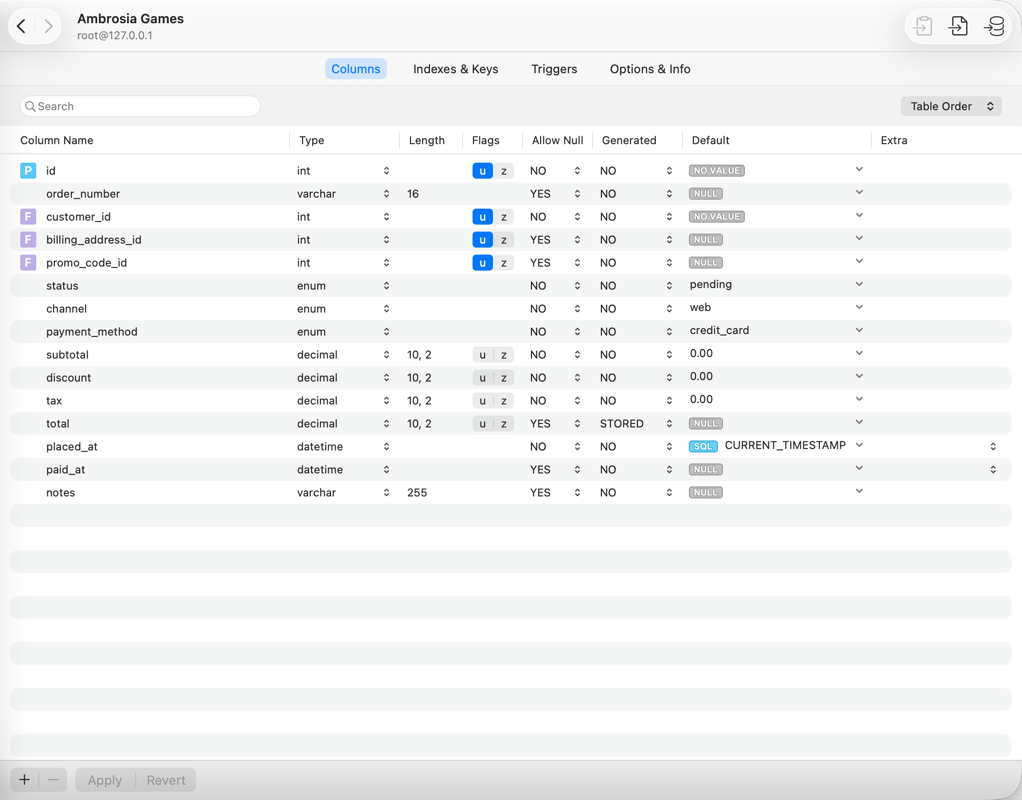
Design your schema without writing DDL. Editors for columns, indexes, keys, constraints, triggers, views, and routines.
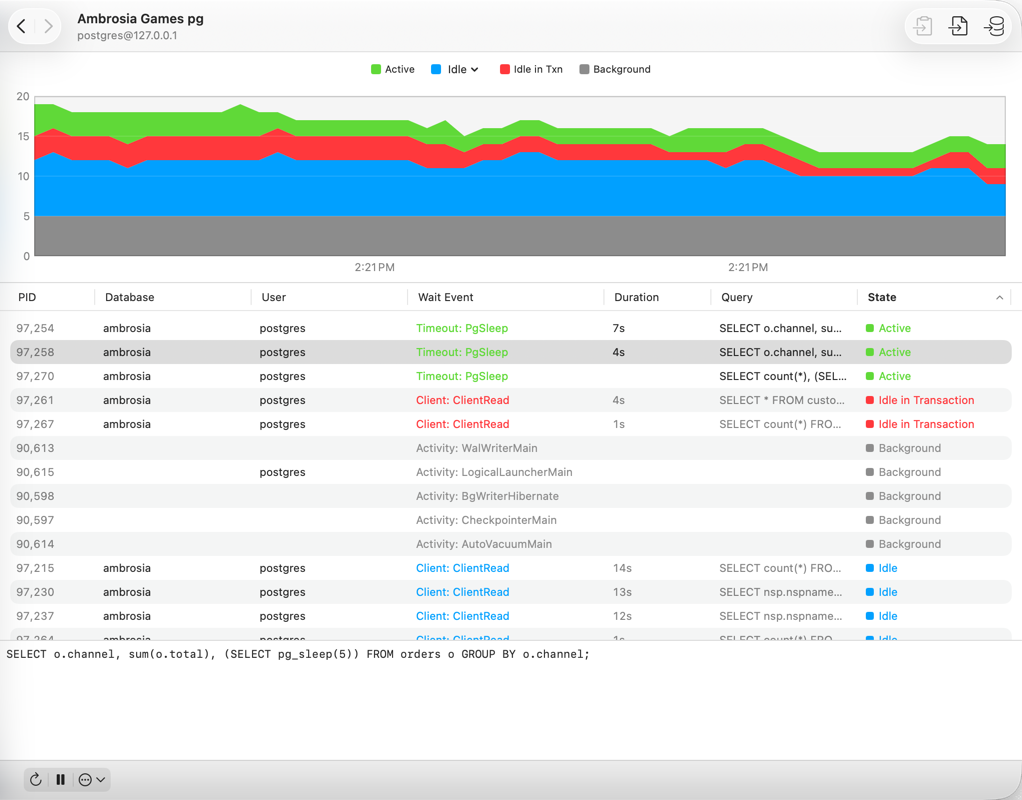
Know what your server is doing. Live PostgreSQL activity, locks, statements, replication, and index usage, plus a rich set of MySQL server views.
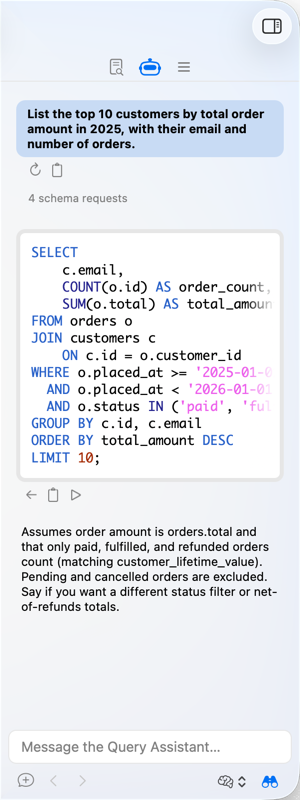
Describe it. Get the SQL. The Query Assistant writes and explains queries for you, and it never sees your data.
Querious is a macOS database client and SQL editor for PostgreSQL, MySQL, and MariaDB. It's a real Mac app, designed and written by hand, that makes everyday database work faster and a lot more pleasant than command-line tools, web UIs, or cross-platform apps.
PostgreSQL, MySQL, and MariaDB, plus SQLite files.
Not Java, not a web view. It behaves the way a Mac app should.
Learn it once. Use it for every server, whatever the engine.
Writes SQL from plain language, without ever touching your data.
Querious was already the best MySQL tool on the Mac. Version 5 makes it the best PostgreSQL tool on the Mac as well, and adds an AI assistant on top.
Schemas, types, sequences, extensions, roles, and everything else that makes PostgreSQL PostgreSQL, in the interface you already love.
NewChat in the Query view's sidebar and get SQL written, explained, and rewritten. It generates queries only, and never sees your data.
NewLive activity, locks, statements, replication, and index usage for PostgreSQL, plus query digest, locks, and index usage for MySQL.
NewScan a schema for missing primary keys, duplicate and unused indexes, mismatched collations, and other trouble. Nothing is changed.
NewWalk from an order to its customer, items, and refunds by following foreign keys to the exact related rows.
NewFull-fidelity PostgreSQL backups and restores, with every option laid out in a clear window instead of a wall of flags.
Querious doesn't flatten PostgreSQL and MySQL into the lowest common denominator. It speaks each engine's own vocabulary, so you get the features you actually use.
Built for PostgreSQL. New in version 5.
search_pathpg_stat_statements, and replicationpg_dump and pg_restore with dedicated, friendly viewsThe best-loved MySQL tool on the Mac.
Connecting to either takes seconds: PostgreSQL connections · MySQL connections · SQLite
Querious is a native PostgreSQL GUI for macOS: a client, SQL editor, and admin tool in one. Most PostgreSQL tools are web apps, Java apps, or terminal programs. Querious is built for your Mac, and for PostgreSQL's way of doing things.
search_path for queries.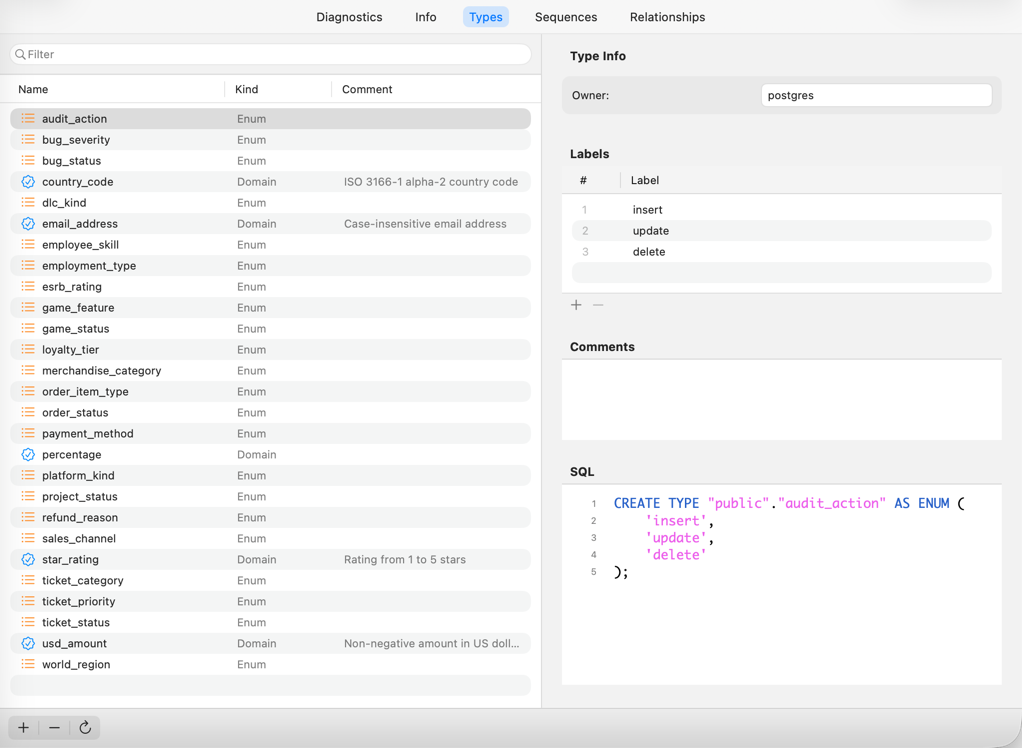
Enter a host, user, and database, or choose a Unix socket. Secure the connection with SSL or an SSH tunnel, and even fetch the password from a shell command, such as your password manager's CLI.
Save the connection, and it's one click away every time.
The Query Assistant is an AI chat in the Query view's sidebar. Describe what you want, and out comes a query written for your schema, in PostgreSQL or MySQL syntax as appropriate.
CREATE statements) is shared only if you allow it. How privacy works
The Content view is packed with the conveniences you'd expect from the best Mac app, and a few you wouldn't think to ask for.
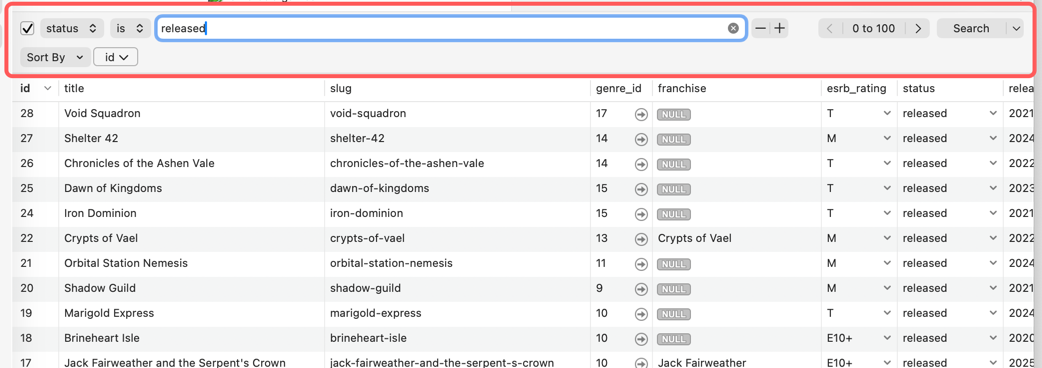
Build multi-condition filters visually, disable a condition with a checkbox, and sort by several columns at once.
The Relationships panel lists the parent, child, and ancestor tables related by foreign keys. Click one to jump straight to the exact related rows.
Color a field or an entire row based on its value, so patterns jump out at a glance: overdue, failed, high-value, or anything else.
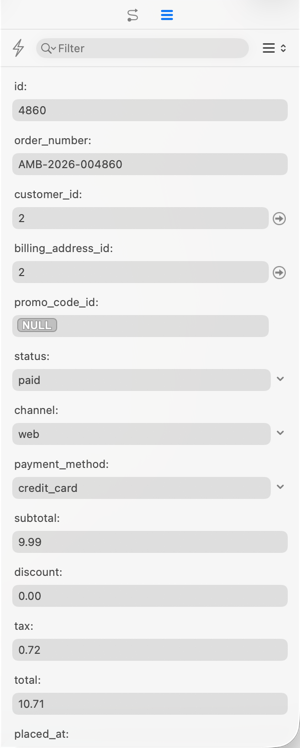
Tables with dozens of columns are easier as a form. The sidebar shows the selected row vertically, so you can read and edit it without scrolling sideways.
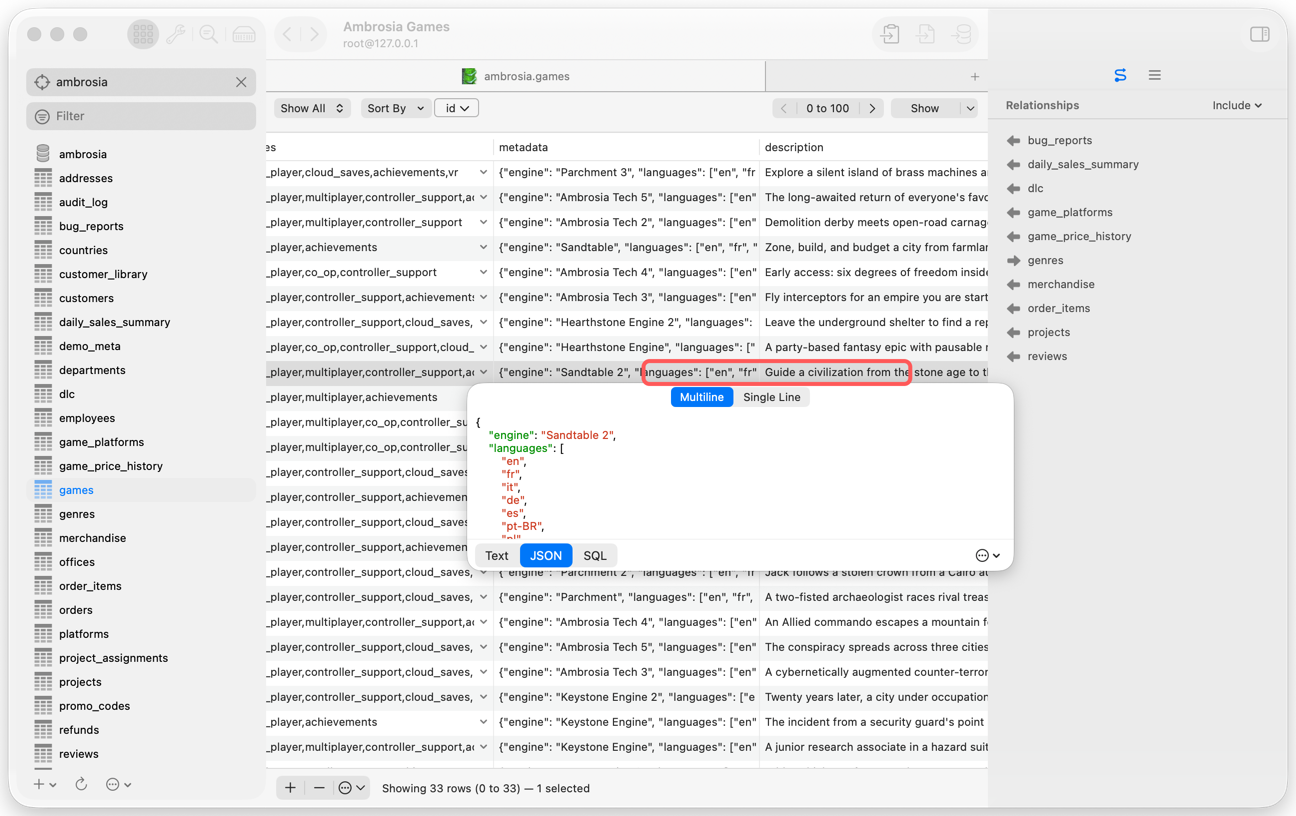
Edit text, JSON (with validation and formatting), binary data, and booleans with the right control for each, or pop a value out into a larger editor window.

Run one statement or a whole script, and see each result and error clearly listed, instead of a single scrolling blob.
search_path.Other tools stop at table data. Querious provides thoughtful editors for the whole schema, so you can see and change structure without hand-writing ALTER statements.
Add, reorder, and retype columns; define primary keys, foreign keys, and indexes; set defaults and generated columns. Apply or revert your changes in one click.
Scan for tables missing primary keys, duplicate and redundant indexes, mismatched collations, and more. Each finding has a severity and an explanation. Scanning only reads, and never changes anything.
Completely overhauled: three layouts, draggable tables whose positions are remembered, a minimap, zoom and pan, and foreign key lines that connect right to the fields.
Browse your schema's custom types and sequences in dedicated views, right alongside tables and views.
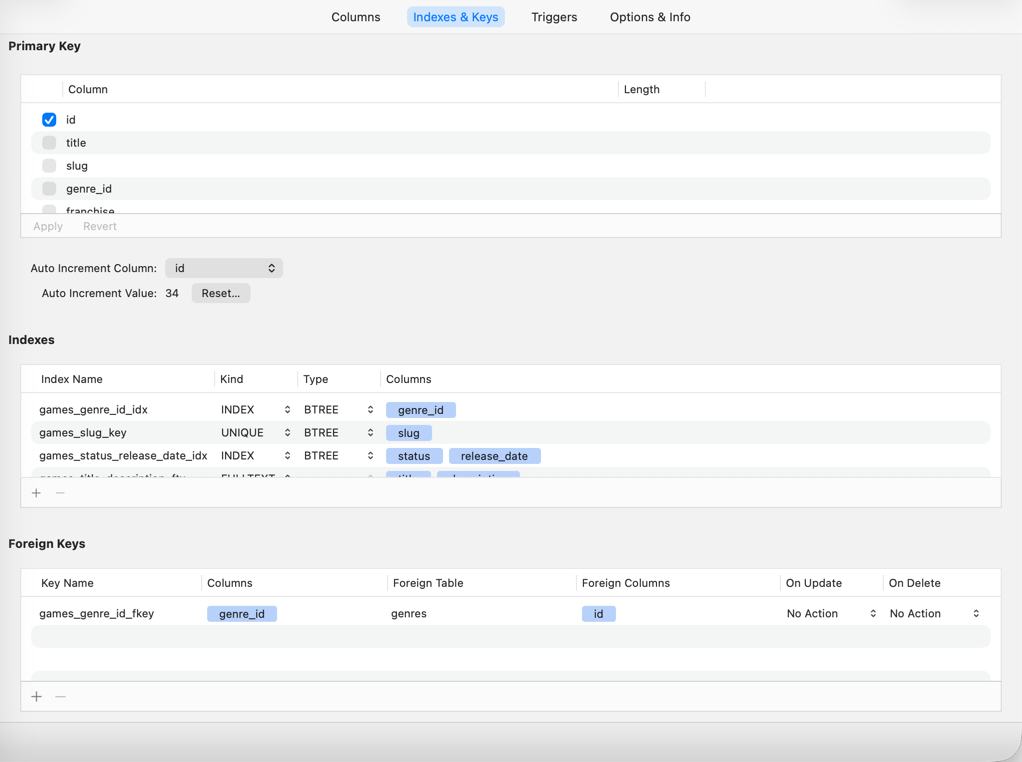
See every index and key on a table at a glance, and edit the columns, expressions, and options of each one in a purpose-built editor.


Dedicated server tools for each engine, so you can find the blocking lock, the slow query, or the unused index in seconds.
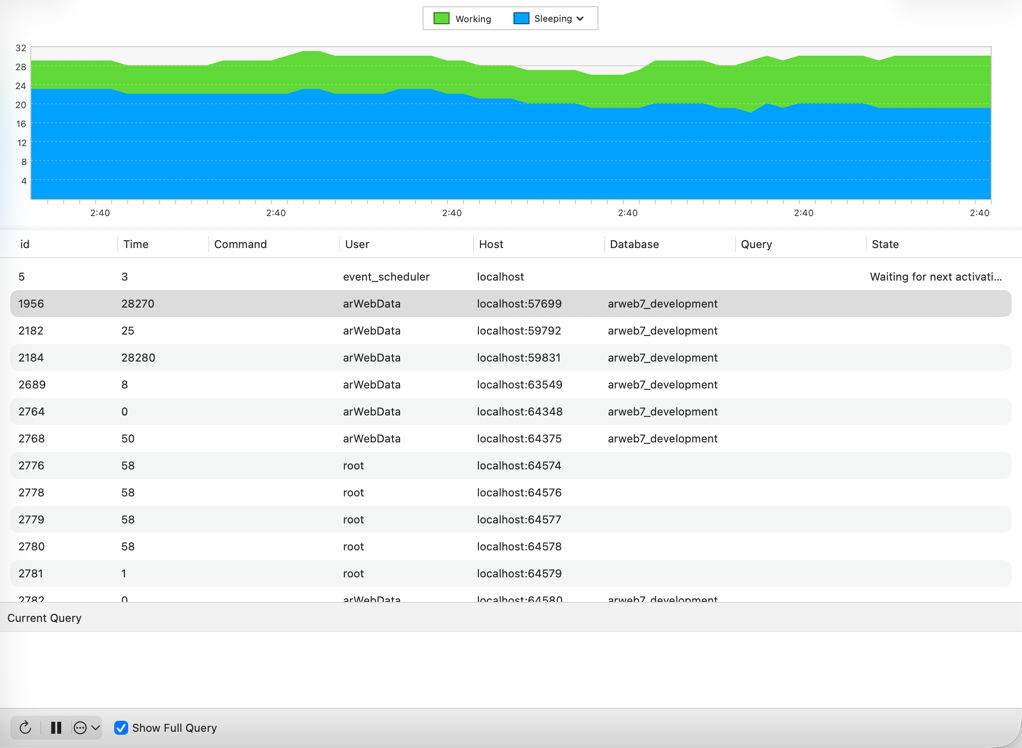
Every connected session, what it is doing, and for how long, on a live chart. Cancel a query or terminate a connection.
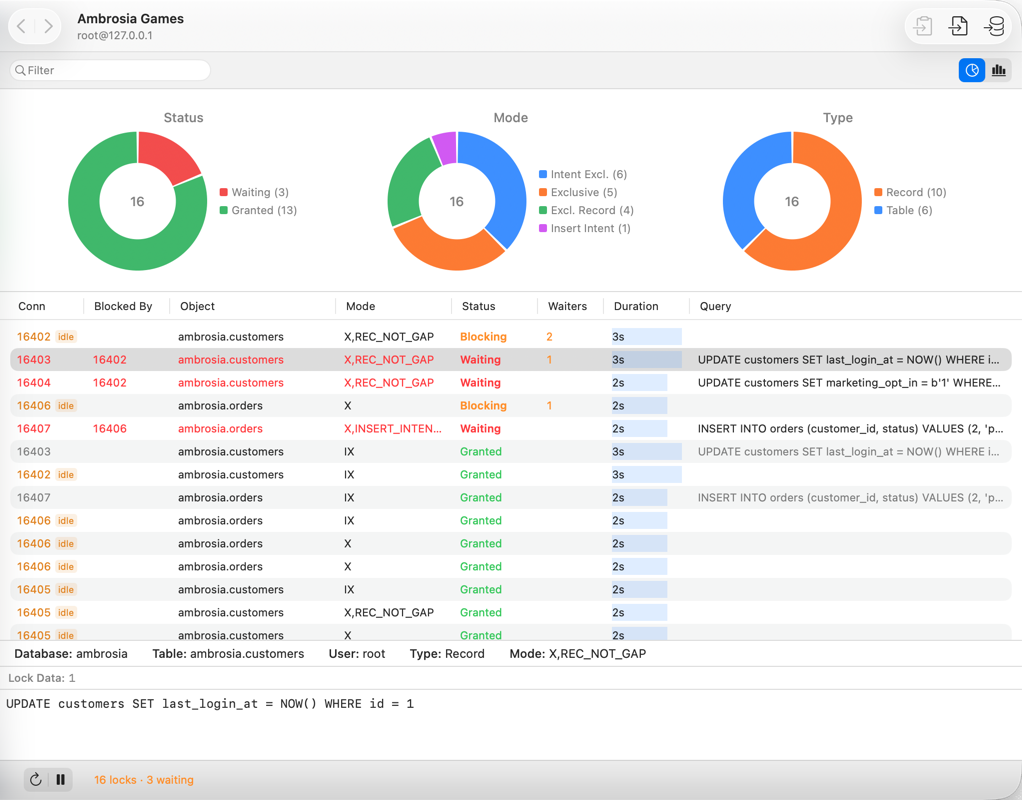
Find out which sessions are blocking which, and see the locks in progress.
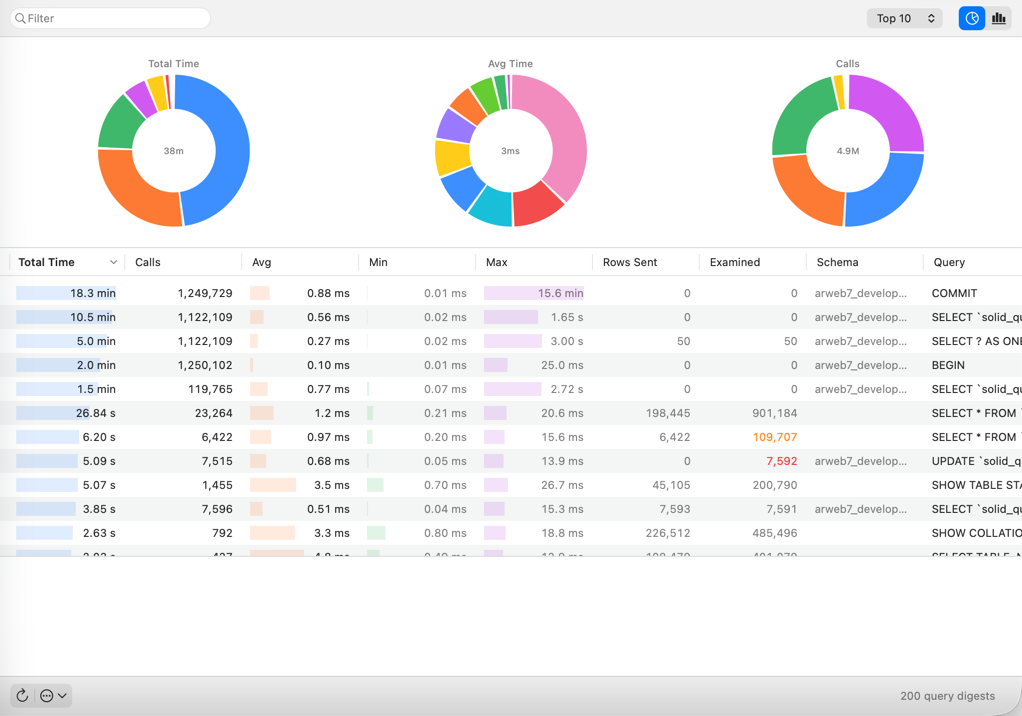
Rank query patterns by cumulative time using pg_stat_statements, to see where the time really goes.
Check WAL streaming, standbys, replication slots, and archiver health.
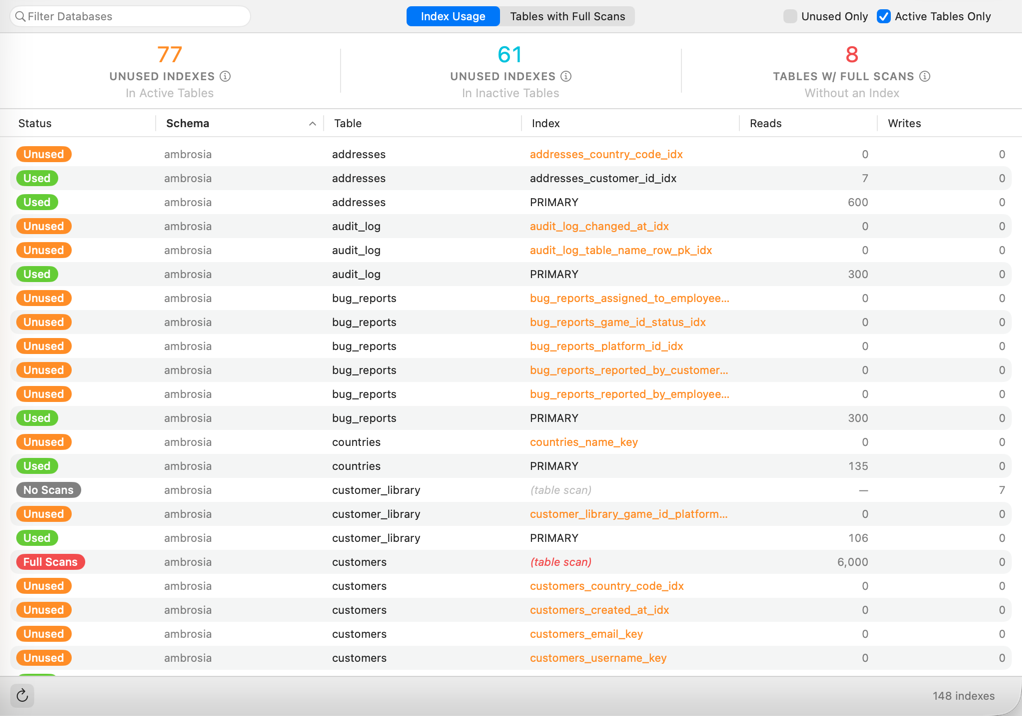
Find unused and redundant indexes that are slowing down writes and wasting space.
Version, connections, transaction counts, cache efficiency, checkpoints, and per-database statistics.
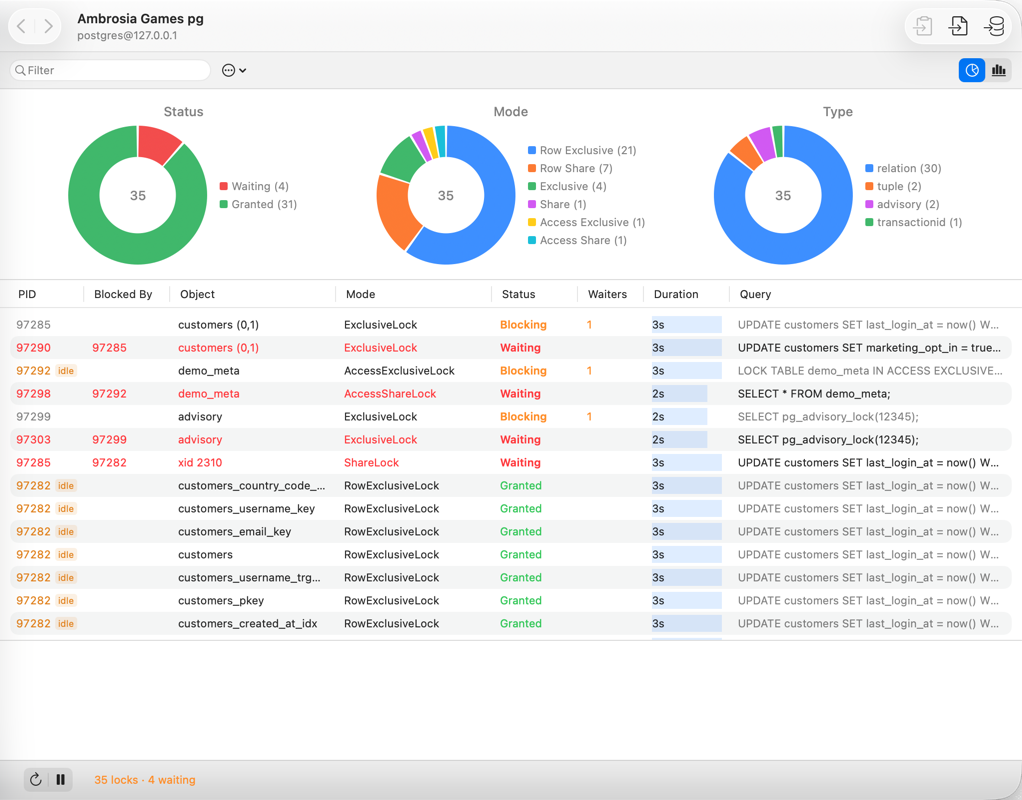
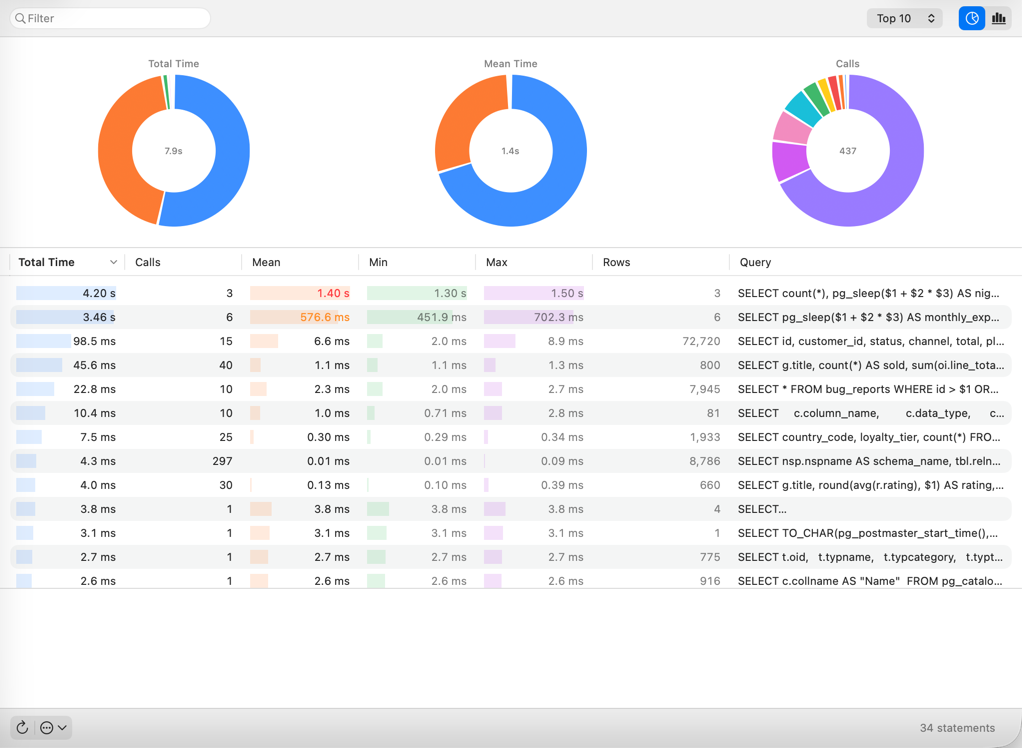
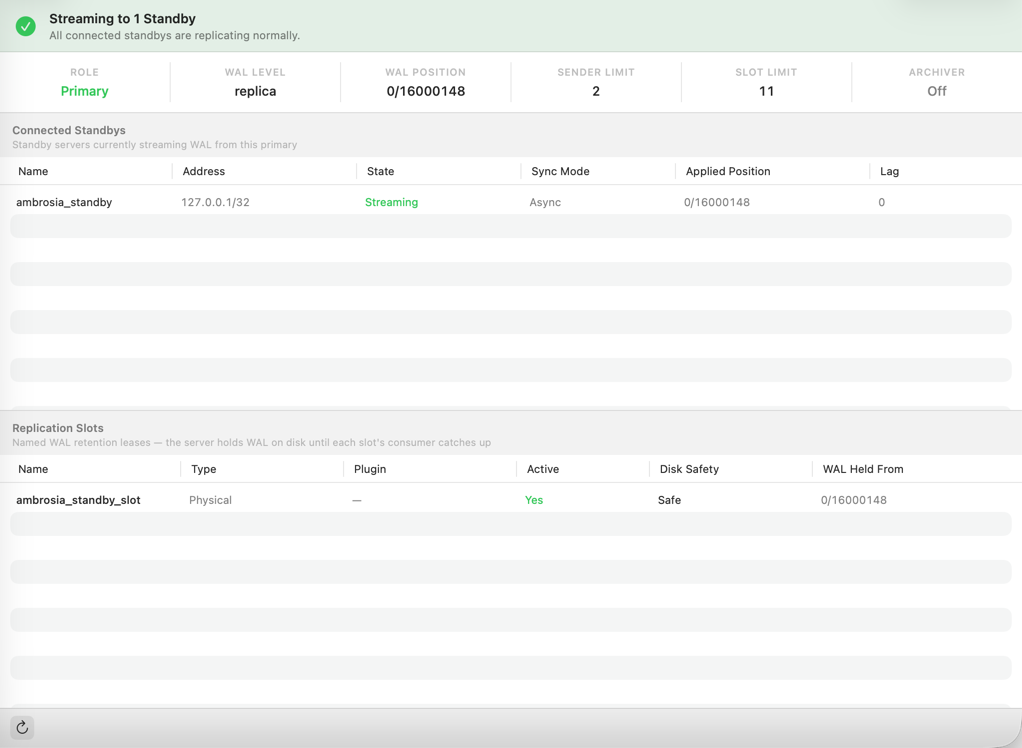
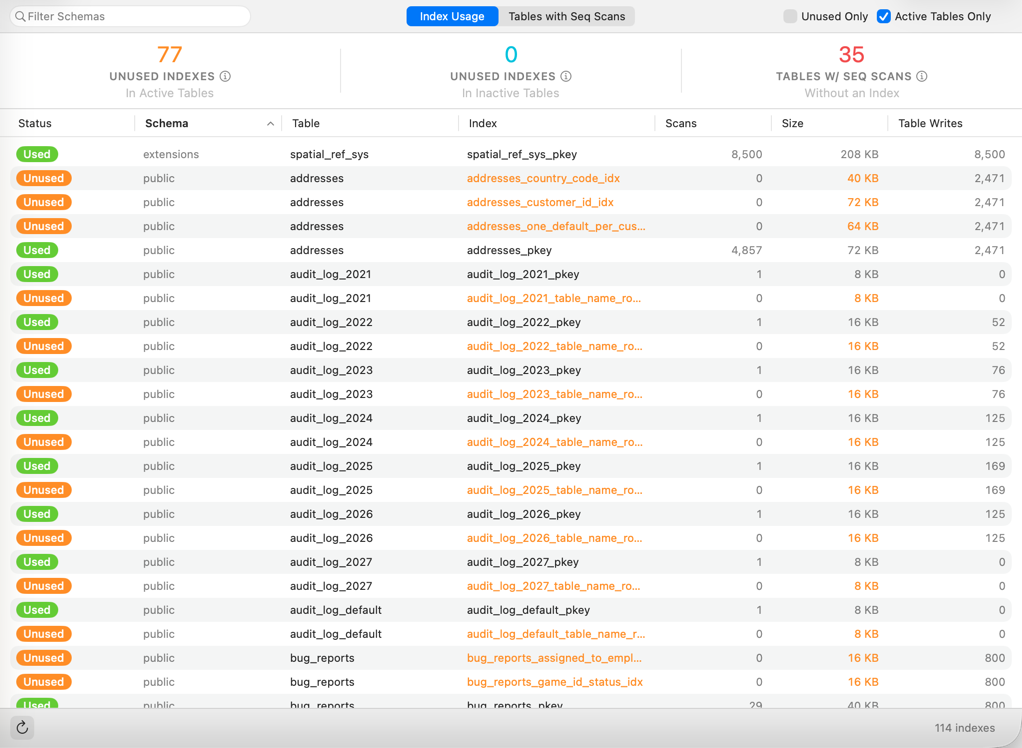
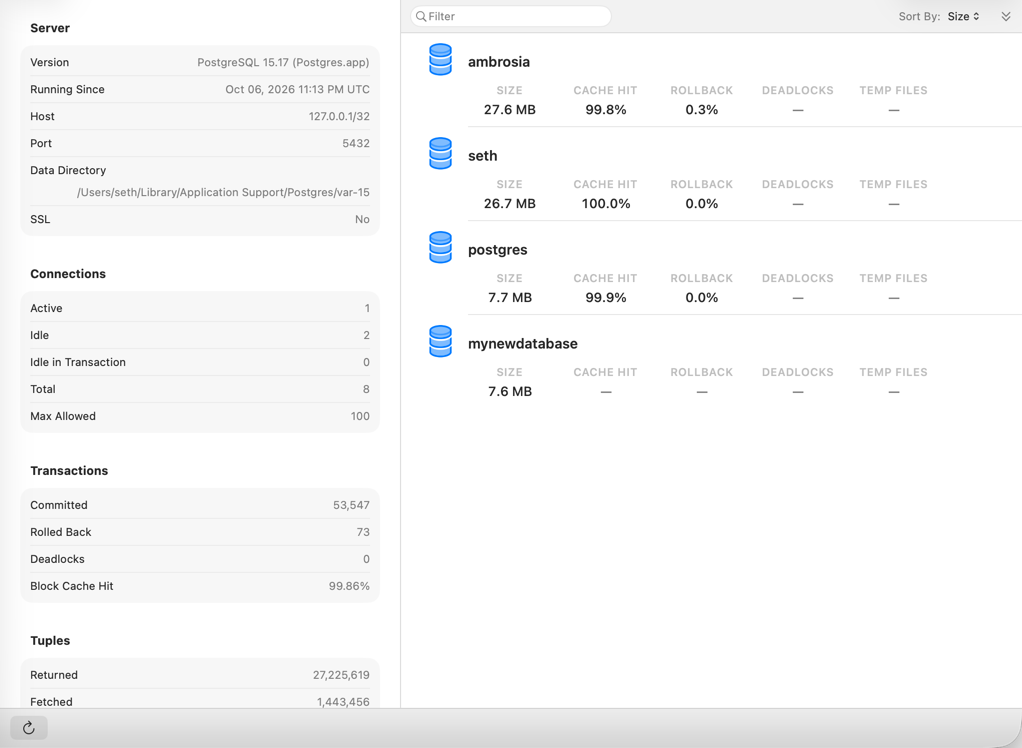
See which queries are running on the server right now.
Where the server's time actually goes, ranked by query pattern. And the new Query Analyzer examines a single query's execution plan.
Who is blocking whom, right now.
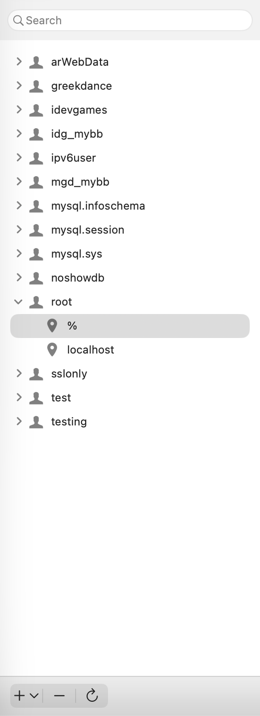
Add or remove users, and change their global, database-level, or even column-level privileges.
Spot unused and redundant indexes.
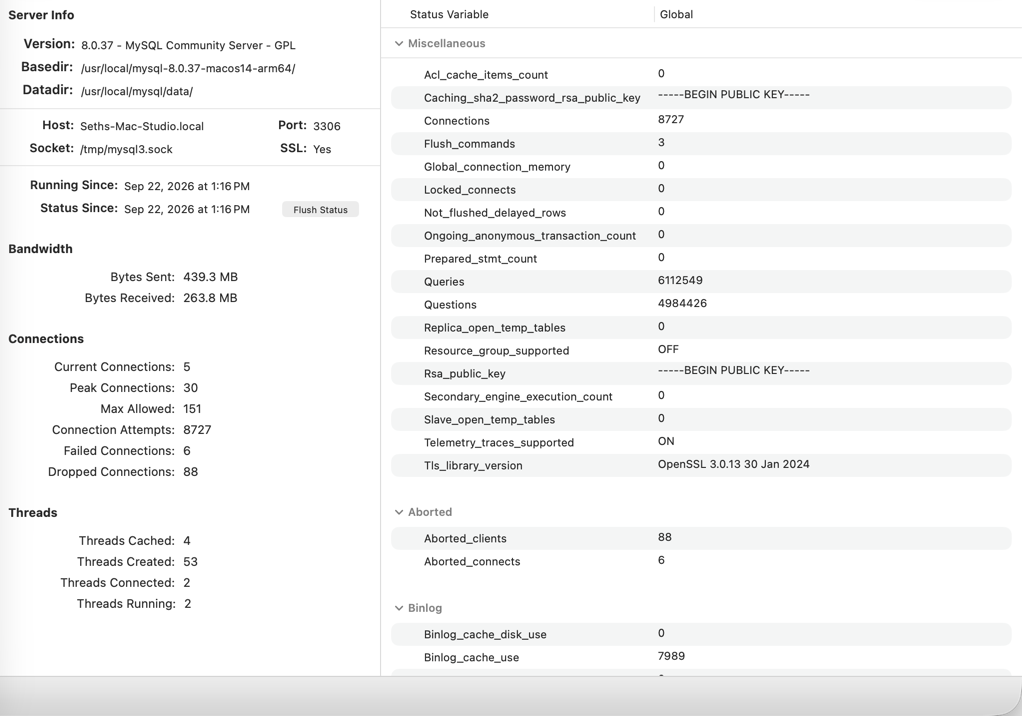
A glanceable overview of connections, bandwidth, and server health.
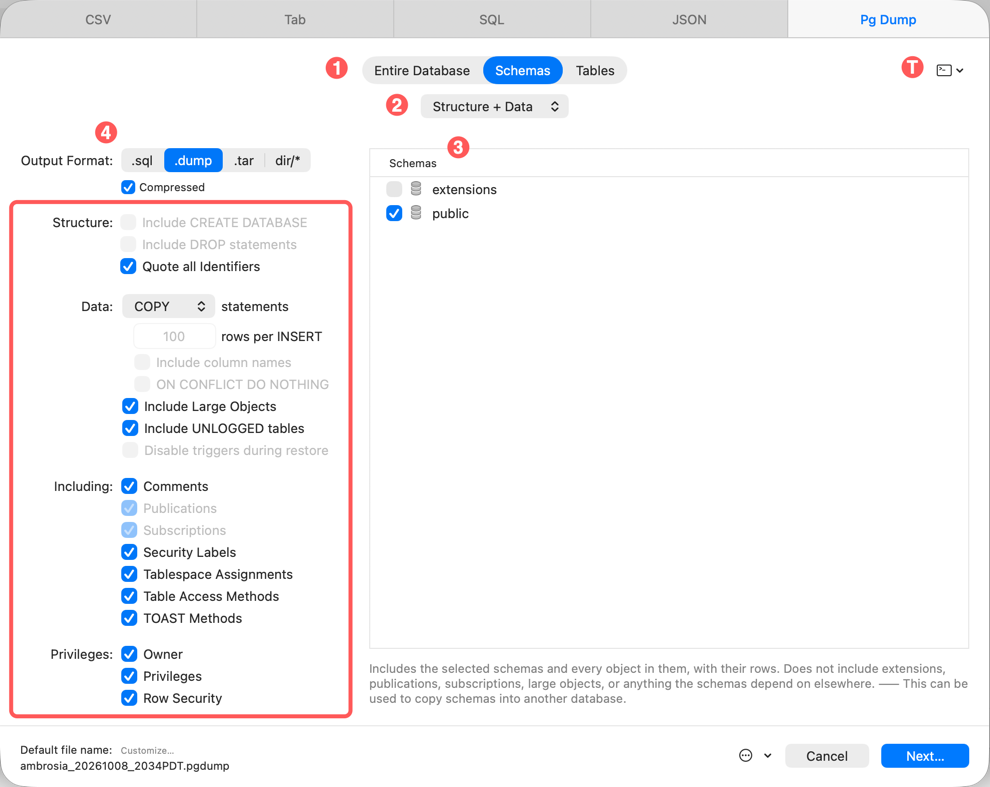
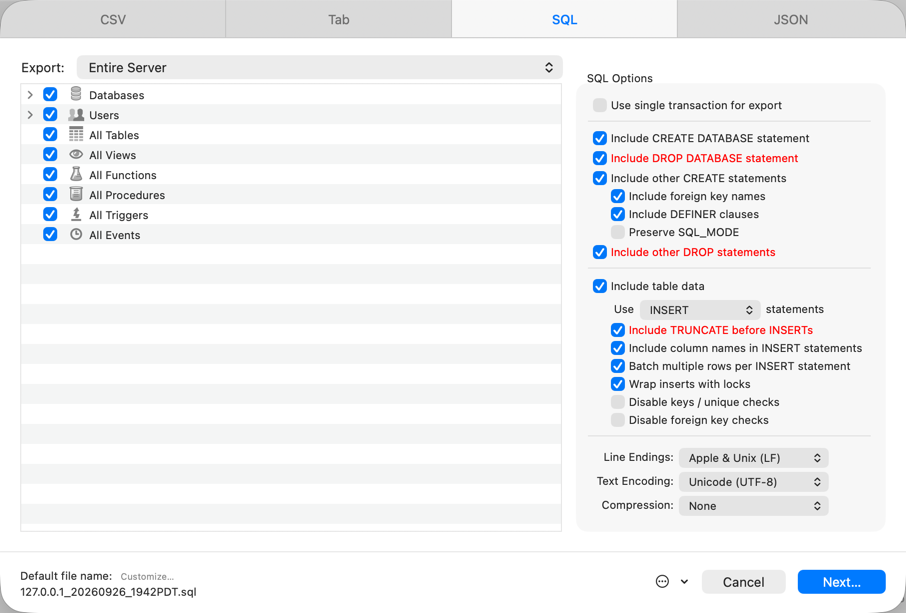
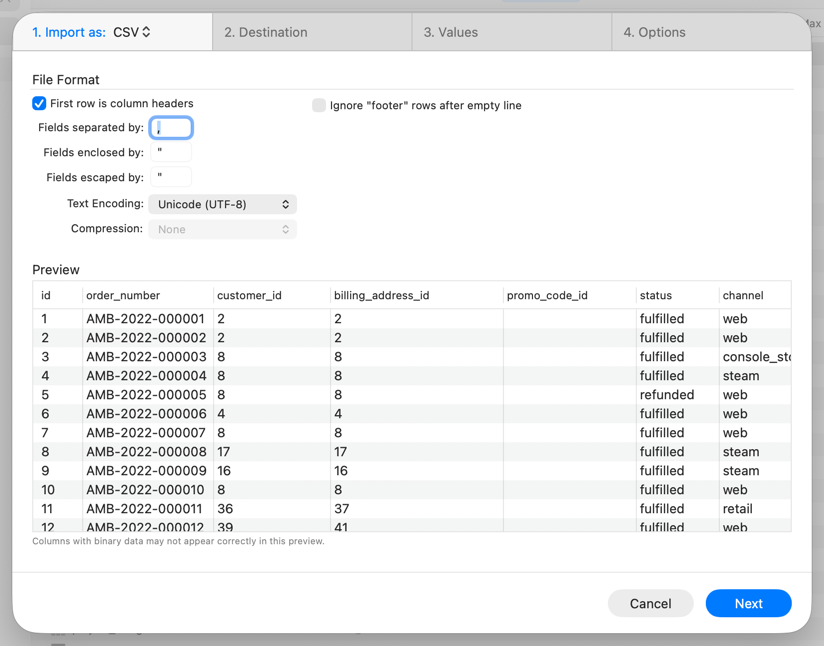
Export an entire server or a single table, to SQL, CSV, Tab, or JSON. Import CSV with smart value conversion. And for PostgreSQL, drive pg_dump and pg_restore from a friendly window.
Full-fidelity PostgreSQL backups with a pretty face. Querious finds your installed tools and lays out the options clearly, so you keep PostgreSQL's exact behavior without memorizing flags.
Export a table, a schema, or an entire server. JSON export can be an object array, a values array, or a table object, compact or pretty-printed. Use filename templates for tidy, dated backups.
Map file columns to table columns, convert date and number formats on the way in, compute values with SQL expressions, set defaults for empty values, or create a brand-new table straight from the file.
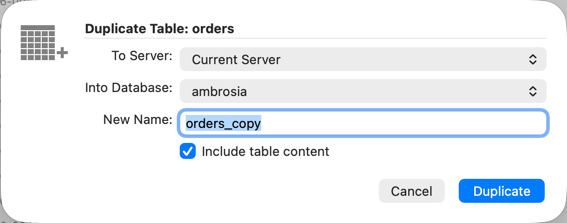
For MySQL, duplicate tables (with their data), views, routines, and whole databases, within a server or across servers.
Compare two MySQL schemas, review every difference, and generate the script to synchronize them. Learn more
Convert date and number formats, compute values with SQL expressions, handle empty values, and skip foreign key and unique checks for faster loads.
Tint the titlebar with your connection color, choose what each connection tab shows, and set control sizes, list font sizes, and row spacing app-wide.
Saved connection passwords are stored as synchronizable Keychain items, so they follow you to your other Macs.
Register with your Araelium Account, a license key, or an access key from your team leader. Teams get revokable access keys.
Quicker tab loading, much smoother scrolling in large Table Content lists, and options to leave huge columns unloaded until you need them.
Cross-platform apps trade away the behaviors you expect from a Mac. Querious is built exclusively for macOS, and it shows in every window, menu, and shortcut.
Querious has received hundreds of updates since it first shipped, many of them directly from user feedback.
Questions go to the person who actually makes the app. Get in touch and you'll get a real answer.
It depends on what you value, but if you want a PostgreSQL GUI that is a genuine native Mac app (not Java, Electron, or a web page), Querious 5 is built for exactly that. It combines a table editor, SQL query editor with autocomplete, schema structure editors, server monitoring (activity, locks, statements, replication), pg_dump and pg_restore, and an AI Query Assistant in one app.
Yes. Querious 5 works with PostgreSQL, MySQL, and MariaDB in the same interface, so you learn one tool and use it for every server. Each engine gets its own views where it matters, such as PostgreSQL schemas, types, and replication, and MySQL users, InnoDB status, and query digest.
Yes. Querious connects to any PostgreSQL server it can reach over TCP/IP or a Unix socket, including local installs such as Postgres.app and Homebrew, Docker containers, and cloud-hosted servers such as Amazon RDS. It can also tunnel through SSH and use SSL.
Yes. Querious 5 adds deep, first-class PostgreSQL support alongside MySQL and MariaDB, in the same native Mac interface. It understands PostgreSQL schemas and the search_path, enum, composite, range and domain types, sequences, extensions, roles, and per-server views for activity, locks, statements (pg_stat_statements), replication, and index usage. Database Duplicate and Database Structure Comparison are currently MySQL-only.
Querious 5 connects to PostgreSQL, MySQL, and MariaDB servers, and can also open SQLite database files. It can connect directly over TCP/IP, over a Unix socket, or through an SSH tunnel, with optional SSL.
Yes. Querious is built exclusively for macOS using native Mac technologies. It is not a cross-platform app, a Java app, or a web page in a window, so it looks, feels, and behaves like a real Mac app: standard windows, tabs, menus, keyboard shortcuts, Dark Mode,.
The Query Assistant is an AI chat in the Query view's sidebar. Describe the query you want in plain language and it writes the SQL, explains queries you paste in, and rewrites queries on request. It only generates queries: it never runs anything, and it never sees the data in your tables. With your permission it can read your schema's structure (table and column names, and CREATE statements) so its answers fit your actual database.
No row data is ever sent. At most, with the "Provide Schema Definitions" setting turned on, the assistant can look up the structure of your schema (names, types, and CREATE statements). The Query Assistant is off by default, and you choose whether schema context is shared. Always review generated SQL before running it.
Yes. Besides exporting to SQL, CSV, and other formats, Querious provides a friendly interface for PostgreSQL's own pg_dump and pg_restore tools, so you get full-fidelity backups and restores without memorizing command-line options. It finds the tools installed by Postgres.app, Homebrew, and other common locations.
Querious 5 is available to download and try now, while it is still being finished. Some details may change before the final release, and we want your feedback. Send questions, bug reports, and requests to support@araelium.com.
Querious 5 requires macOS 13.2 or later.
No. Querious is made only for macOS, which is what allows it to feel like a true Mac app.
The best Mac database client for PostgreSQL and MySQL, in early release and ready for your databases.
Documentation Why Querious? Compare Querious 4 Help & Support

