DMG Canvas 4
Stylized disk images made easy.
Version 4 — $30 — Requires macOS 11 or Later
DMG Canvas 4
Stylized disk images made easy.
Version 4 — $30 — Requires macOS 11 or Later
Simply drag and drop your files, design your disk image's appearance using the rich visual editor, and click "Build" to easily and quickly create a fully assembled disk image ready to ship. Each time you release a new version of your disk image, simply click "Build" again, or automate it as part of your own build process using the built-in command-line tool.
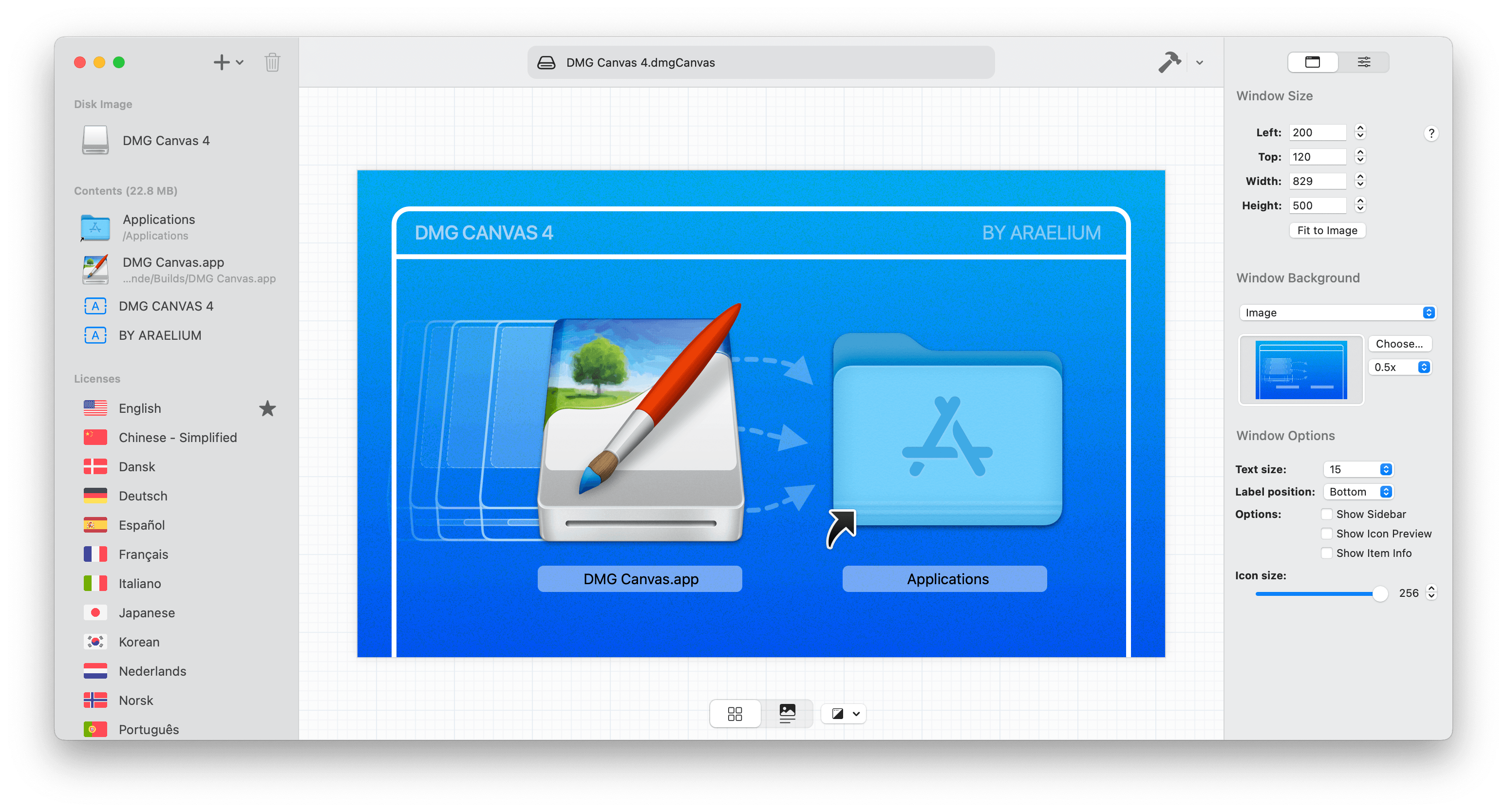
Simply drag and drop files onto the window view, give your disk image a background image, and click Build. What you see in DMG Canvas is exactly how it will look in Finder. You can create great backgrounds for your disk images right inside DMG Canvas itself by dropping in images and adding stylized text, and you're done in a snap.
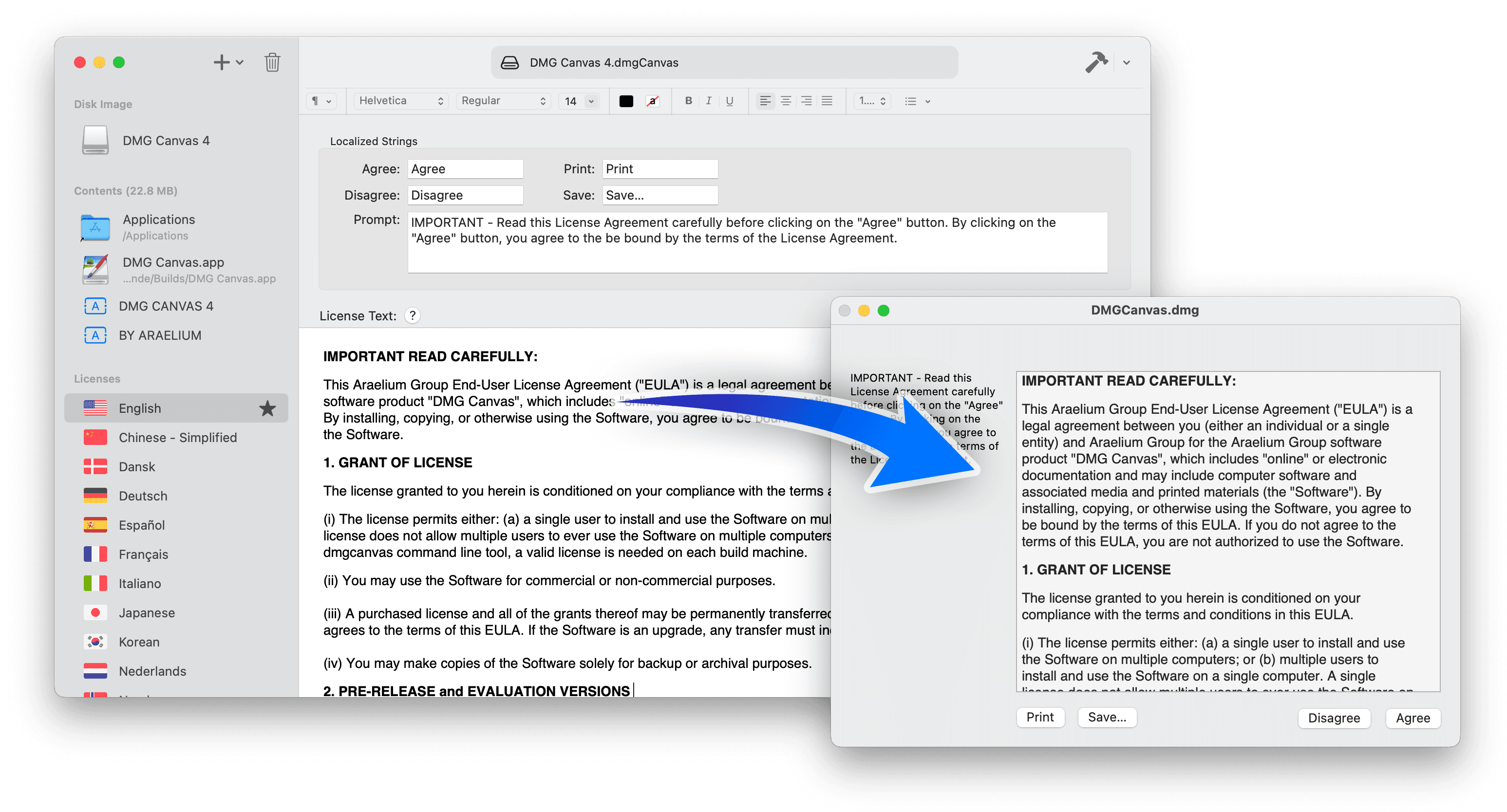
We've all seen the license agreements required to click-through when mounting a disk image, but it is a nightmare trying to do it yourself. Let DMG Canvas take care of it for you. If your company wants to ensure the user has seen the license agreement upfront, it's a piece of cake. Just put your license's text into DMG Canvas and you're done. It even supports styles and multiple languages.
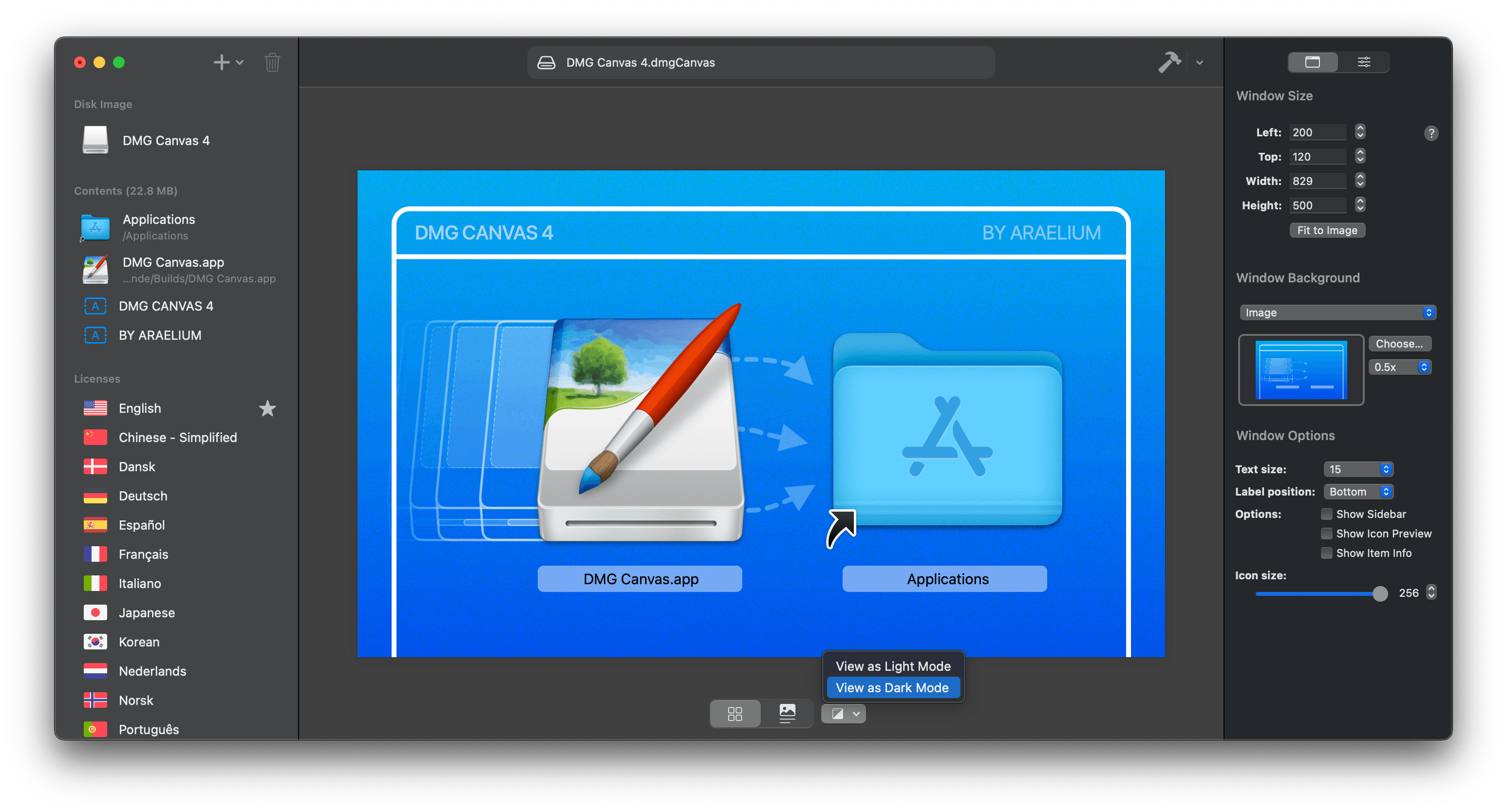
Flip back and forth to view how the disk image will appear in macOS Light and Dark modes to ensure it looks good in both. Disk images with no background set at all will use the Finder window's appearance and change change depending on the user's system appearance setting. In Dark Mode, the window background will be a dark-gray and file names will be displayed with a white color.

Newest Options, Backwards Compatibility
DMG Canvas goes the extra mile and carefully creates disk images with compatibility so they look and work great all the way back to OS X 10.4 if you choose, regardless of which version of macOS you're using. Or, choose the newest compression and file format options like LZMA and APFS, and have lightning fast disk image mounting times.

Create Retina-Ready Designs
Add beautifully crisp Retina images and text to your disk images and DMG Canvas automatically handles creating the right image with multiple representations. More importantly, your users (and potential users) will see your attention to detail before they even launch your application for the first time.

Code Signing
Ensure your customers and macOS itself know that the disk image is safe and secure with code signing. Gatekeeper in macOS enables extra security features if your disk image is not code signed, potentially breaking behaviors in your application. Using DMG Canvas, code signing is as easy as a single click.

Notarization
Since macOS Catalina, a new security feature called Notarization requires new application to be notarized by Apple to ensure they are not infected with malware. To help with this, DMG Canvas can easily notarize the disk image and its contents, and still maintain backwards compatibility with older versions of macOS. (Notarization requires that Xcode be installed.)
DMG Canvas lets you create and build disk images using the slick WYSIWYG designer. Simply drag and drop your files into place, add text, images, and change the background image for the mounted window, and you can even add stylized license agreements to your disk images, which — believe us — is a massive pain otherwise.
Even though clicking the "Build" button in DMG Canvas is a piece of cake, why click it if you don't need to? By using the dmgcanvas tool, you can integrate building your disk images into your normal build workflow, such as building an application in Xcode, so you won't even have to think about making a disk image; It's already done for you. And to satisfy macOS's Gatekeeper, you can now code sign your disk images with your Developer ID certificate, avoiding troublesome Path Randomization.
DMG Canvas does it all.
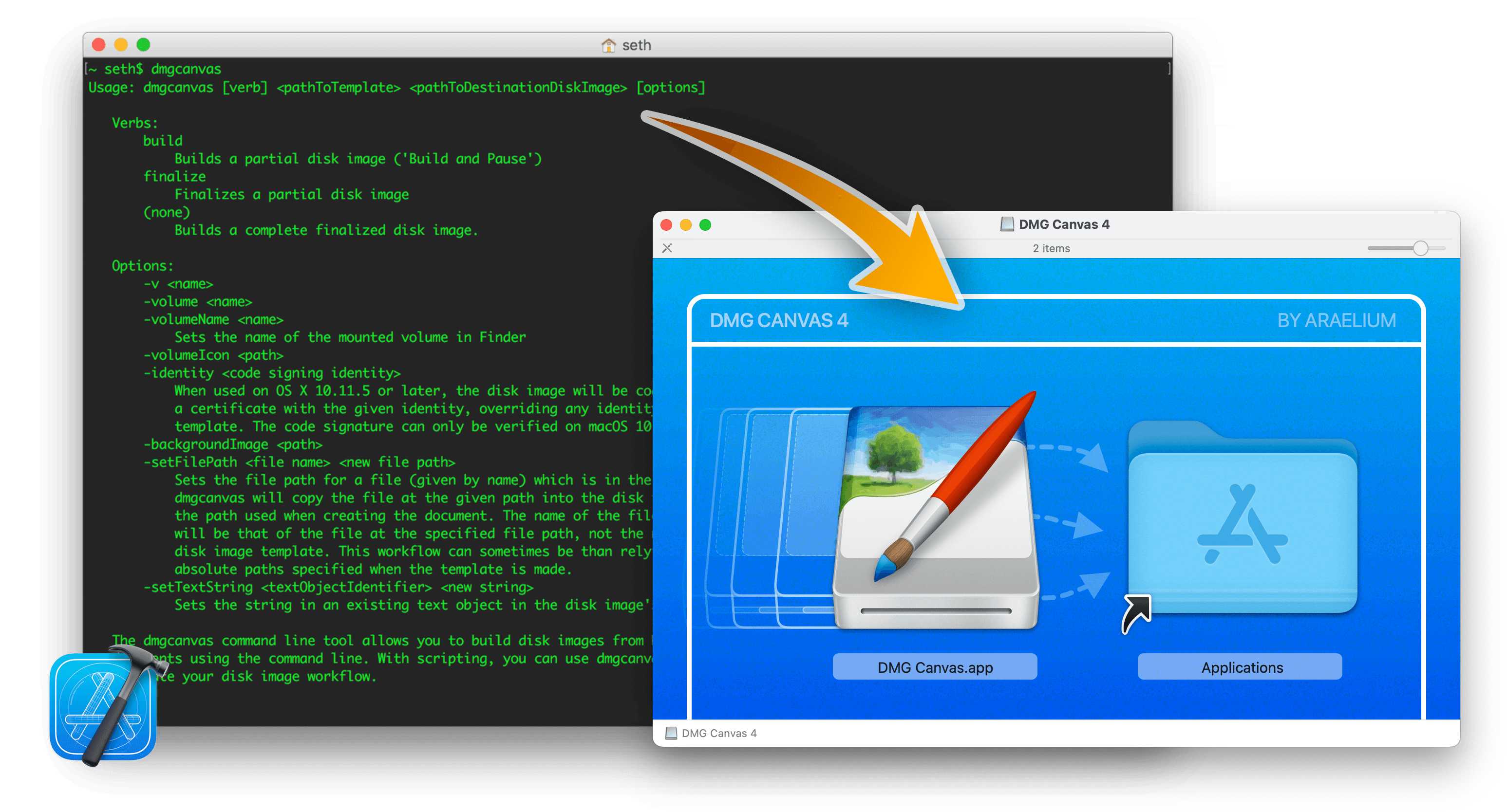
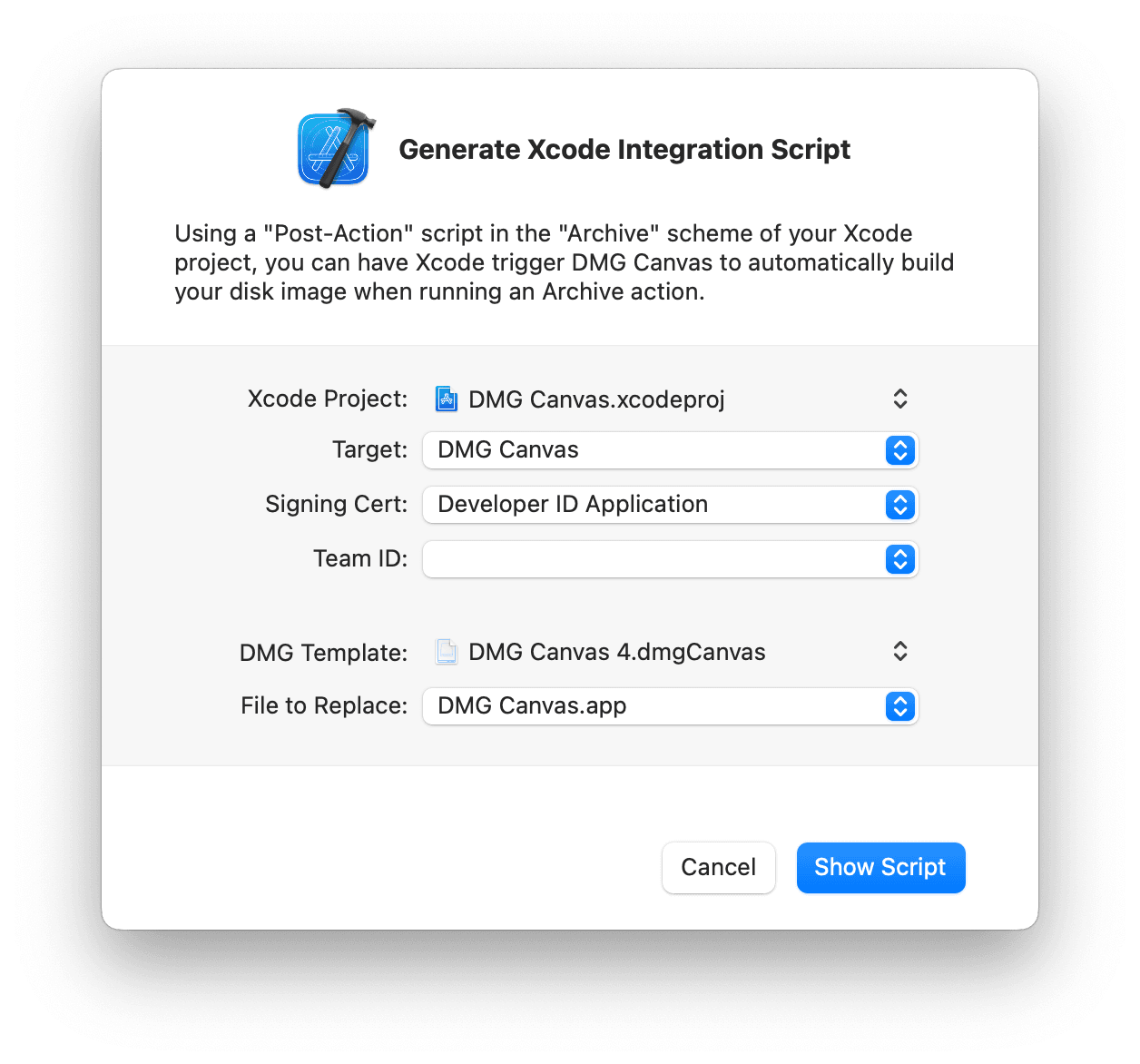
Not only can you integrate DMG Canvas into your own build scripts and workflows, but DMG Canvas itself can generate a script that will integrate it into your Xcode project! Drop in your Xcode project and DMG Canvas document, pick a few settings, and the script is there in a flash. Drop the script into your Archive scheme's "Post-action" script and then every time you Archive your application in Xcode, it'll automatically create a disk image ready for you to ship to your users.